Aural & visual warnings
EICAS shows the engine indications and the crew alerts on the flight deck displays. Two data concentrator units, DCU A and DCU B, detect the faults and make the aural alerts.
Open the slidesWhat it is
EICAS on the displays
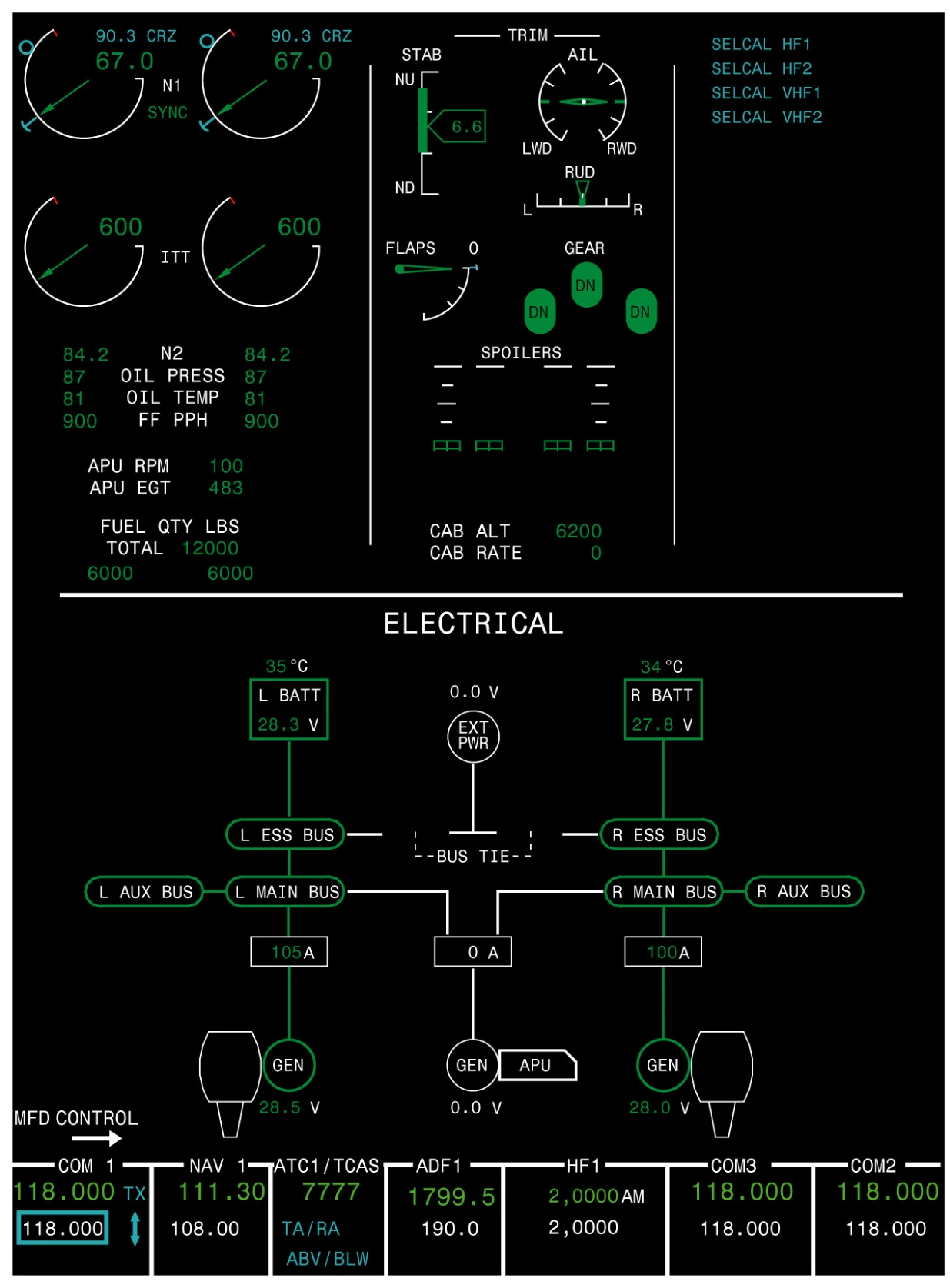
- Four identical, interchangeable displays: two PFDs and two MFDs.
- Top half of the left MFD: engine indications on the left (N1, ITT, N2, oil pressure, oil temperature, fuel flow, then APU RPM and EGT and fuel quantity), configuration in the middle (trims, flaps, gear, spoilers, with cabin altitude and rate below) and CAS messages on the right.
- Flaps, gear and spoilers drop off the display once they are retracted or stowed.
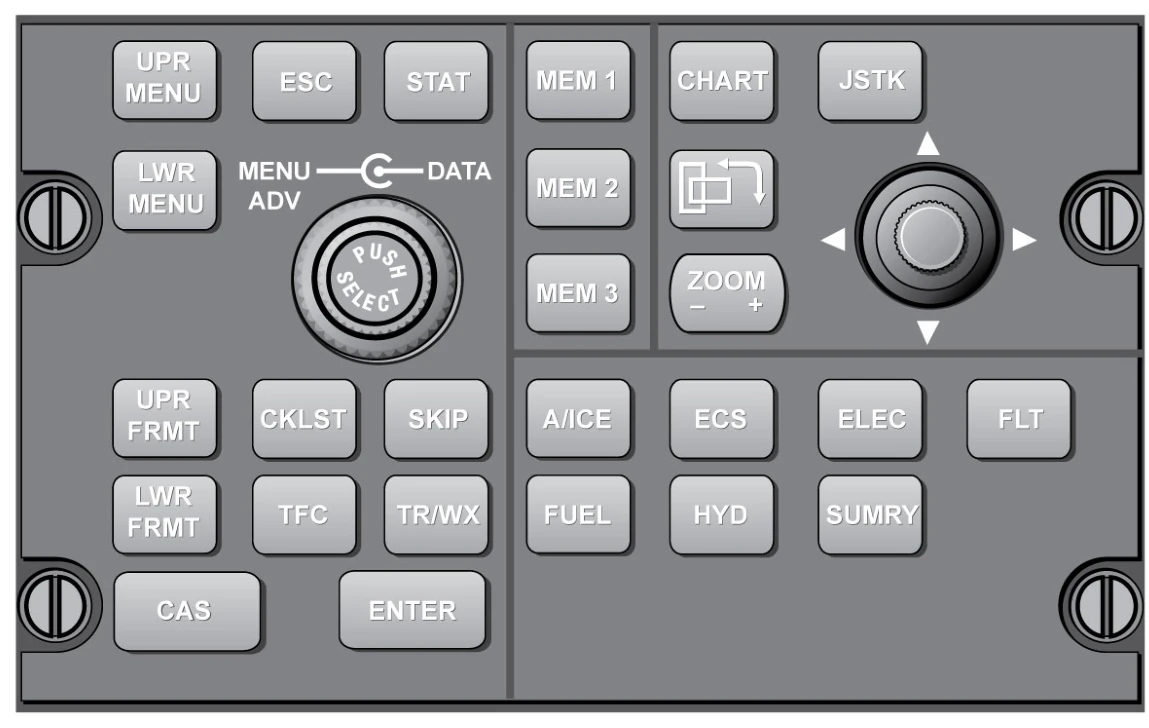
- Top half of the right MFD: the summary synoptic page, or the electronic checklist. The lower half of either MFD shows navigation or a synoptic page picked on the CCP: A/ICE, ECS, ELEC, FLT, FUEL or HYD.
- DCU A and DCU B collect the system data and raise a CAS message when they detect a fault. They also generate the chimes, tones and voice messages, heard on the flight deck speakers and in the headsets.
- Two master WARNING/CAUTION switches sit on the glareshield, one at each end.
Reading the alerts
Colours, CAS levels and inhibits
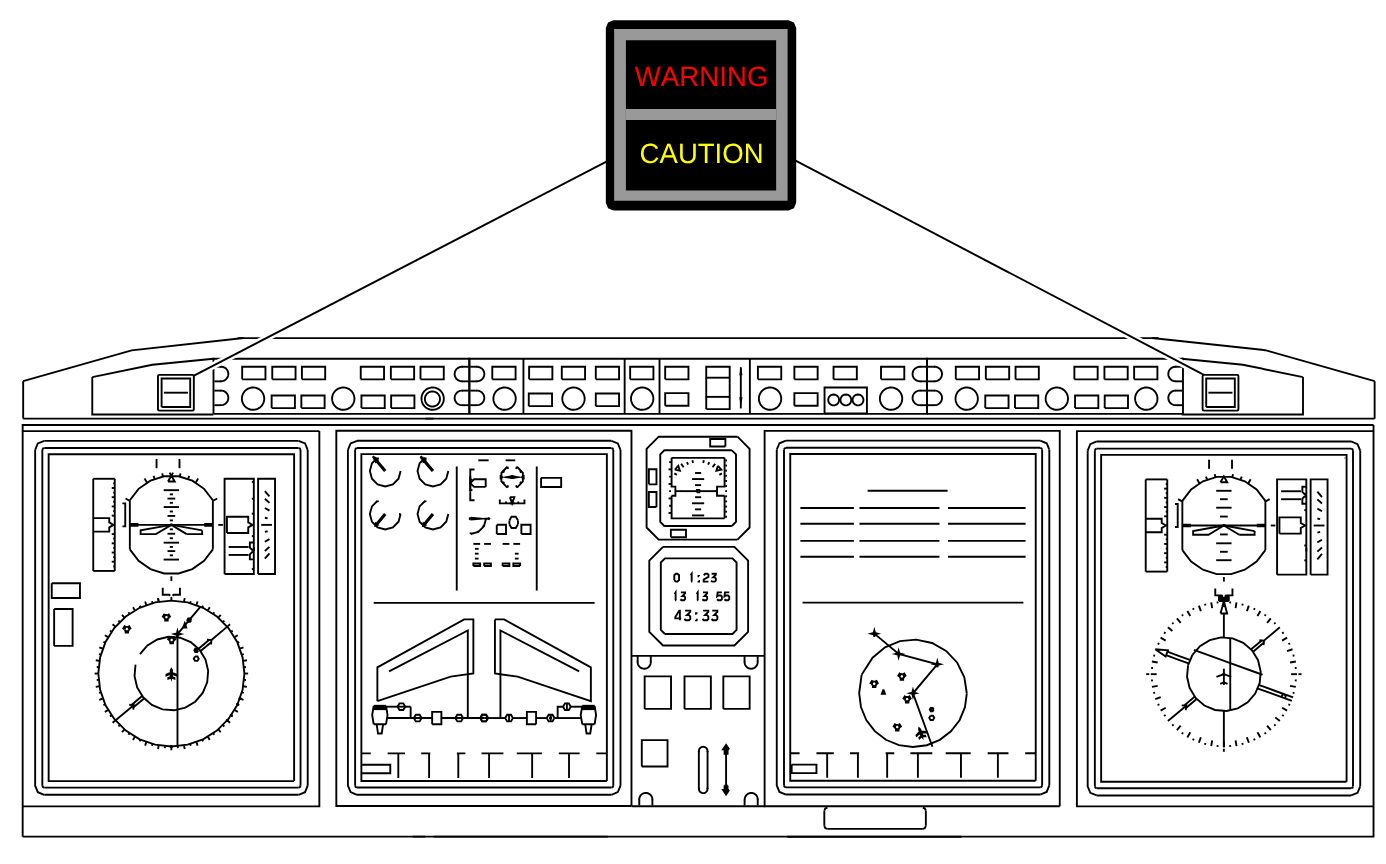
| Warning (W), red | Top of the list, stays until the fault is gone. Triple chime and flashing master WARNING; some add a voice message or tone. CABIN ALTITUDE gives a voice only. Needs immediate action. |
|---|---|
| Caution (C), amber | Below the warnings. Single chime and flashing master CAUTION. Needs prompt action. |
| Advisory (A), cyan | Crew awareness; action may follow. A few have a tone, such as cabin call or SELCAL. |
| Status (S), white | A system the crew has switched on or off. |
- Display colours: red is a warning or a limit exceeded, amber a failure or no flow, green normal, white normal status or no flow, magenta invalid data. In a normal cruise the flight deck stays quiet and dark.
- Pressing either master WARNING switch silences the aurals and stops the flashing, except a "GEAR" voice warning while it is non-mutable. The red message stays. Pressing either master CAUTION switch stops the flashing.
- CAS key on the CCP: one press hides the caution, advisory and status messages and shows a white MSGS icon. A new message appears above it. A second press brings them all back. Warnings can never be hidden.
- Some warnings, most cautions and all advisories are inhibited for takeoff and landing. A message that triggers inside the inhibit shows, with its master light, as the aircraft leaves the envelope.
| Takeoff | From above 80 kt until 400 ft AGL |
|---|---|
| Landing | From below 400 ft AGL until under 40 kt |
Controls and failures
Test, reversion and DCU switches
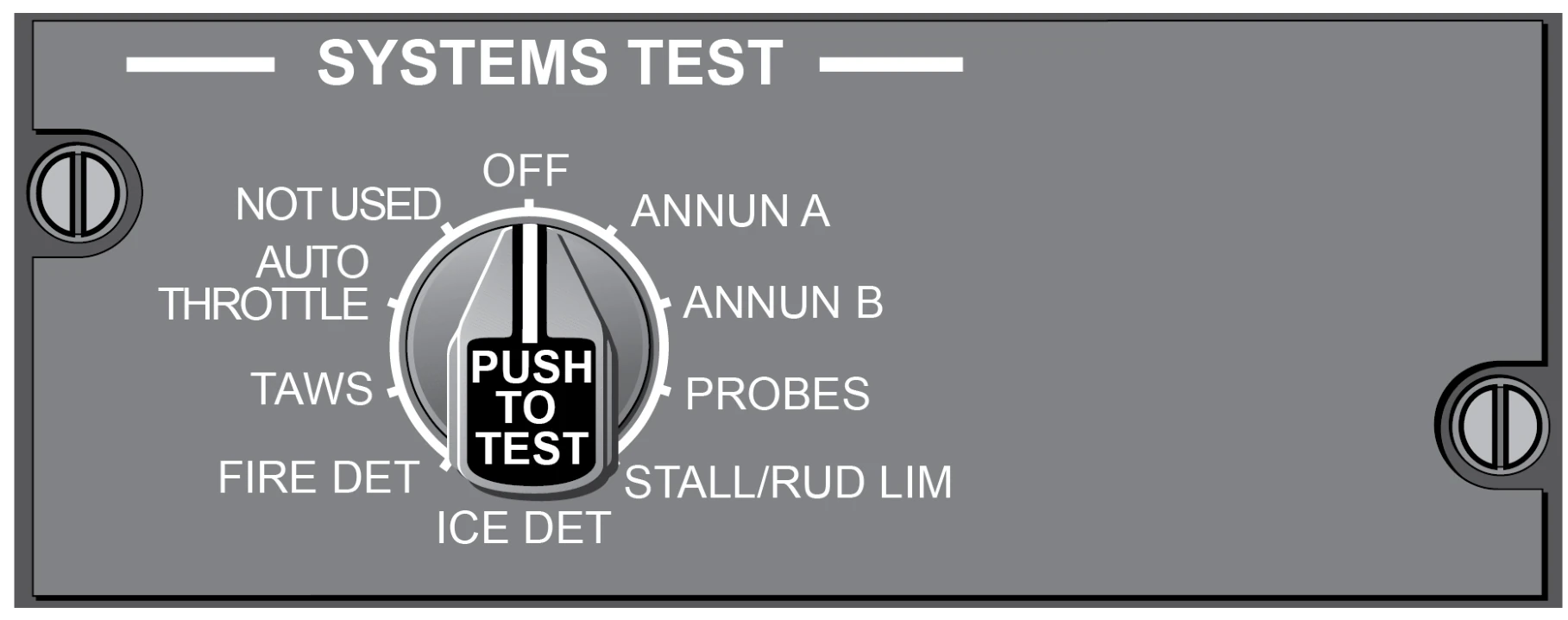
| SYSTEMS TEST | Turn the knob to a test and push. ANNUN A or ANNUN B, pushed and held for 15 seconds: all panel lights come on and the chimes, tones and voice alarms sound. A second push cancels a test. ANNUN A and ANNUN B are in the Before Starting Engines checklist. |
|---|---|
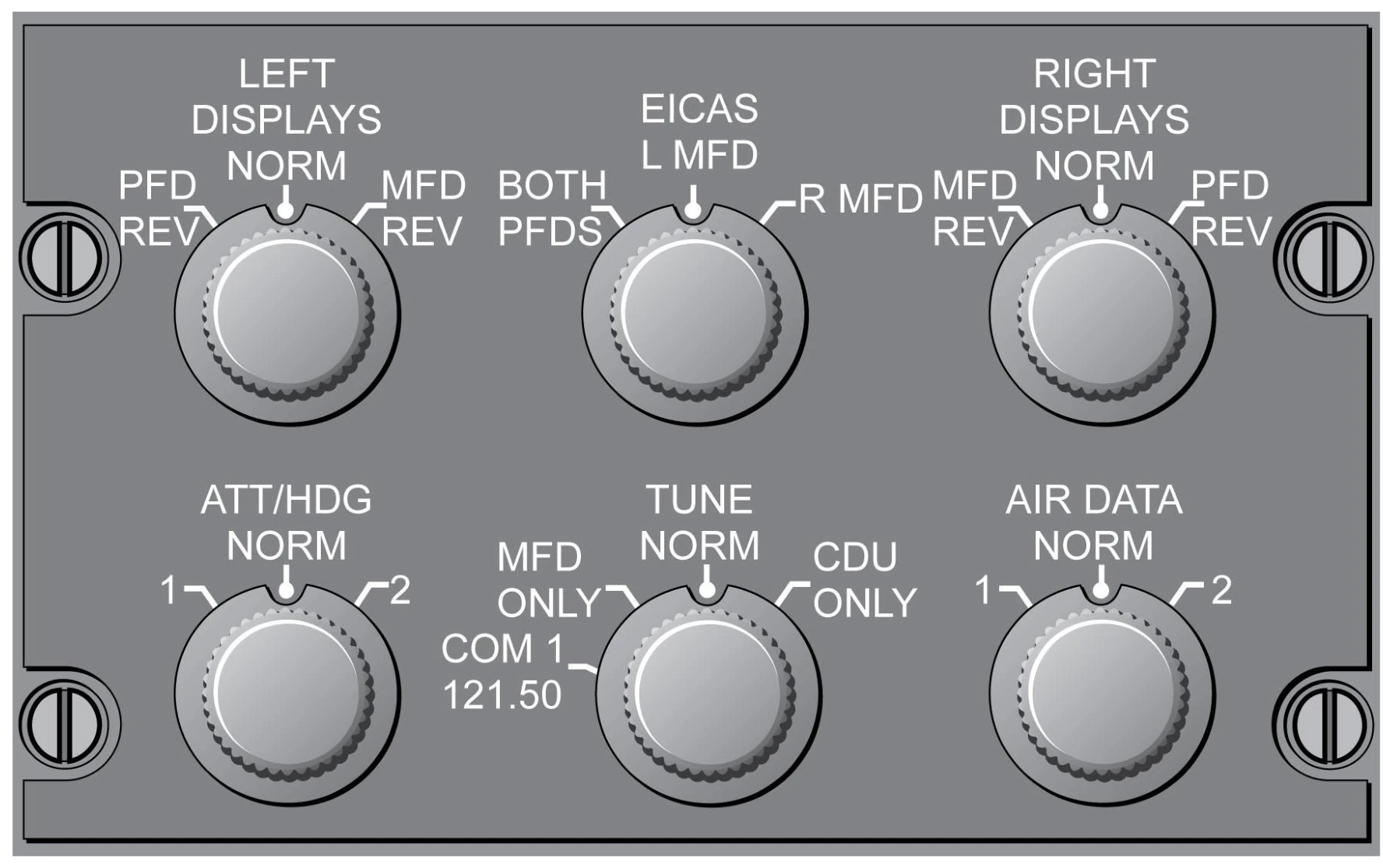
| EICAS knob | L MFD, R MFD or BOTH PFDS (compressed format). If the selected MFD fails, EICAS moves to the other MFD by itself. With either MFD switched off, BOTH PFDS is recommended; otherwise EICAS is not shown. |
| LEFT and RIGHT DISPLAYS | PFD REV: that side’s MFD shuts down and its PFD shows a compressed format. MFD REV: the PFD shuts down and the MFD shows the compressed format. |
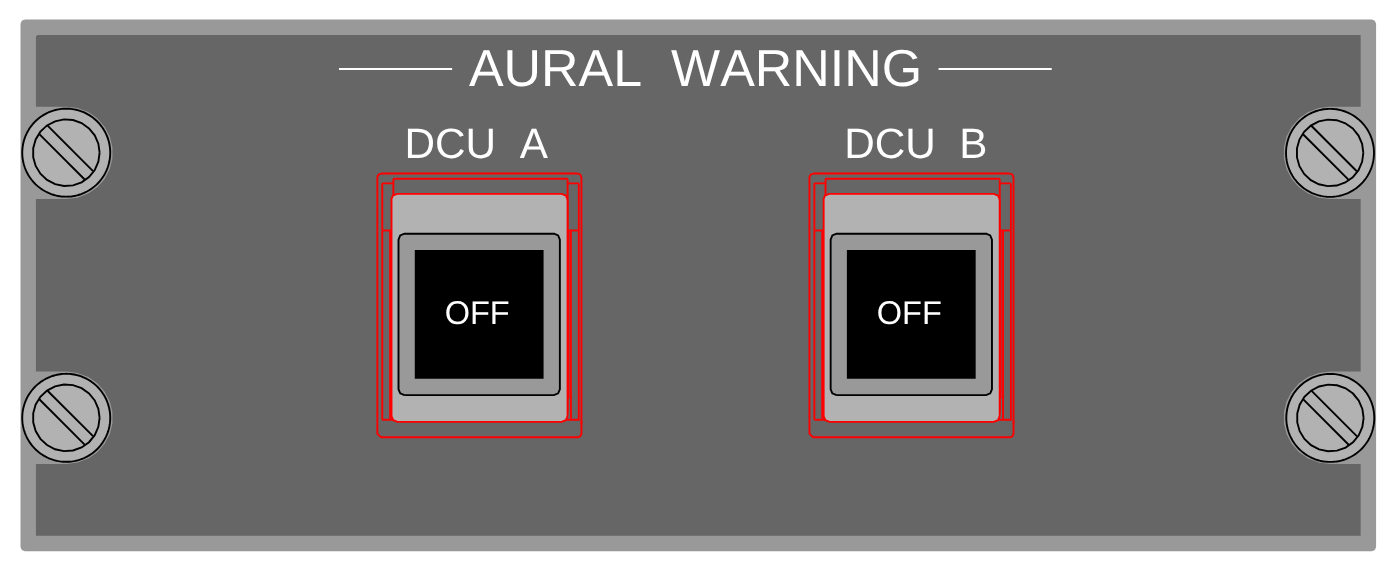
| AURAL WARNING DCU A, DCU B | One OFF: the warnings through that DCU are muted, the other DCU gives the aurals and AURAL WARN A (B) MUTED shows. Both OFF: no EICAS aurals at all. Use them only for an aural system fault or when a procedure calls for it. |
The full module
The slides go through each display, the CAS levels, the test and reversion controls and the failure procedures. A 10‑question test closes the module.
Open the slides