Communications
Two VHF radios, an audio control panel for each pilot and the tuning controls on the DCPs, MFDs and CDUs. The CVR, the ELT and the static wicks are covered here too. HF, SELCAL, SATCOM and data link are optional.
Open the slidesWhat it is
The radios and where to find the controls
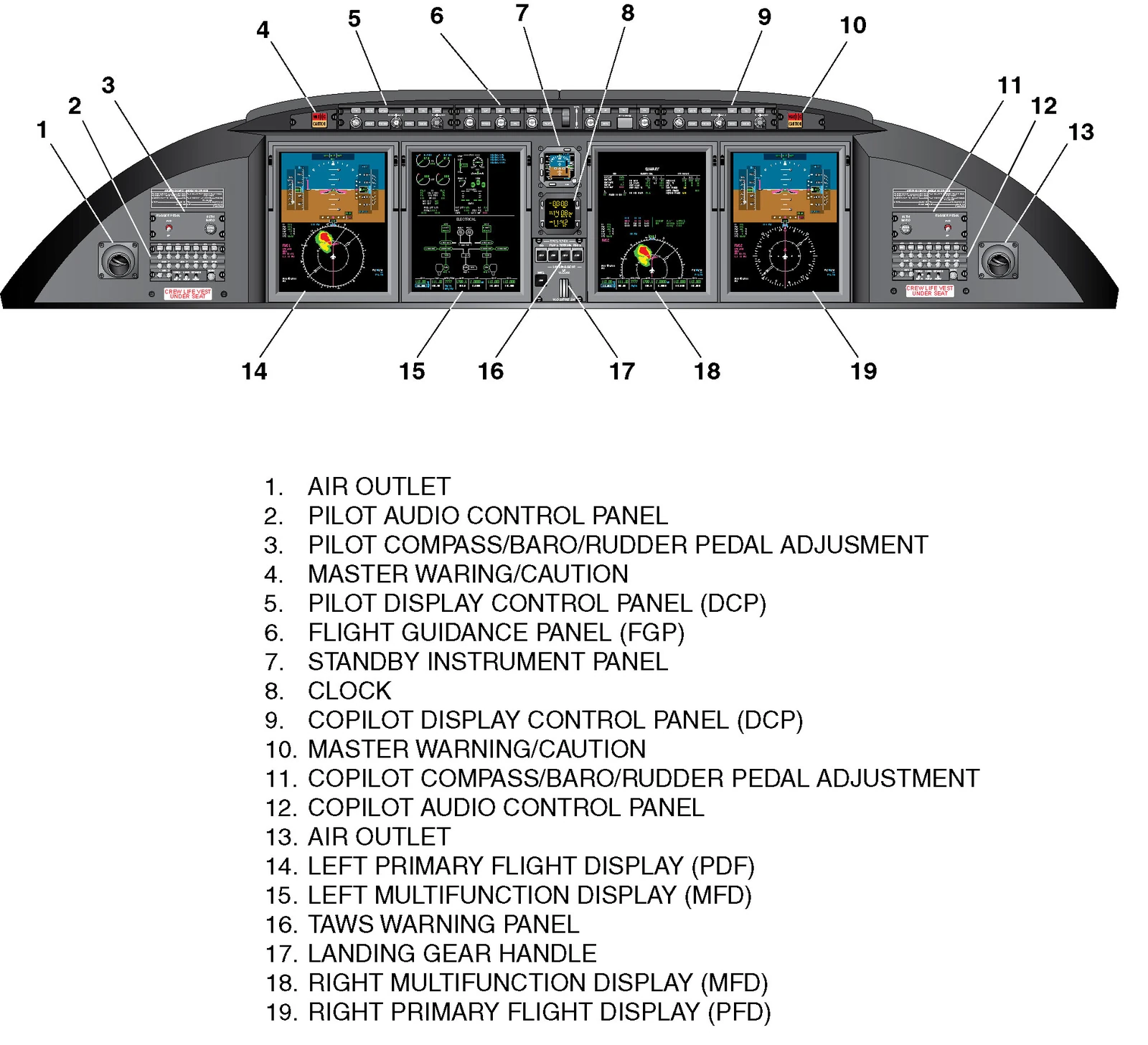
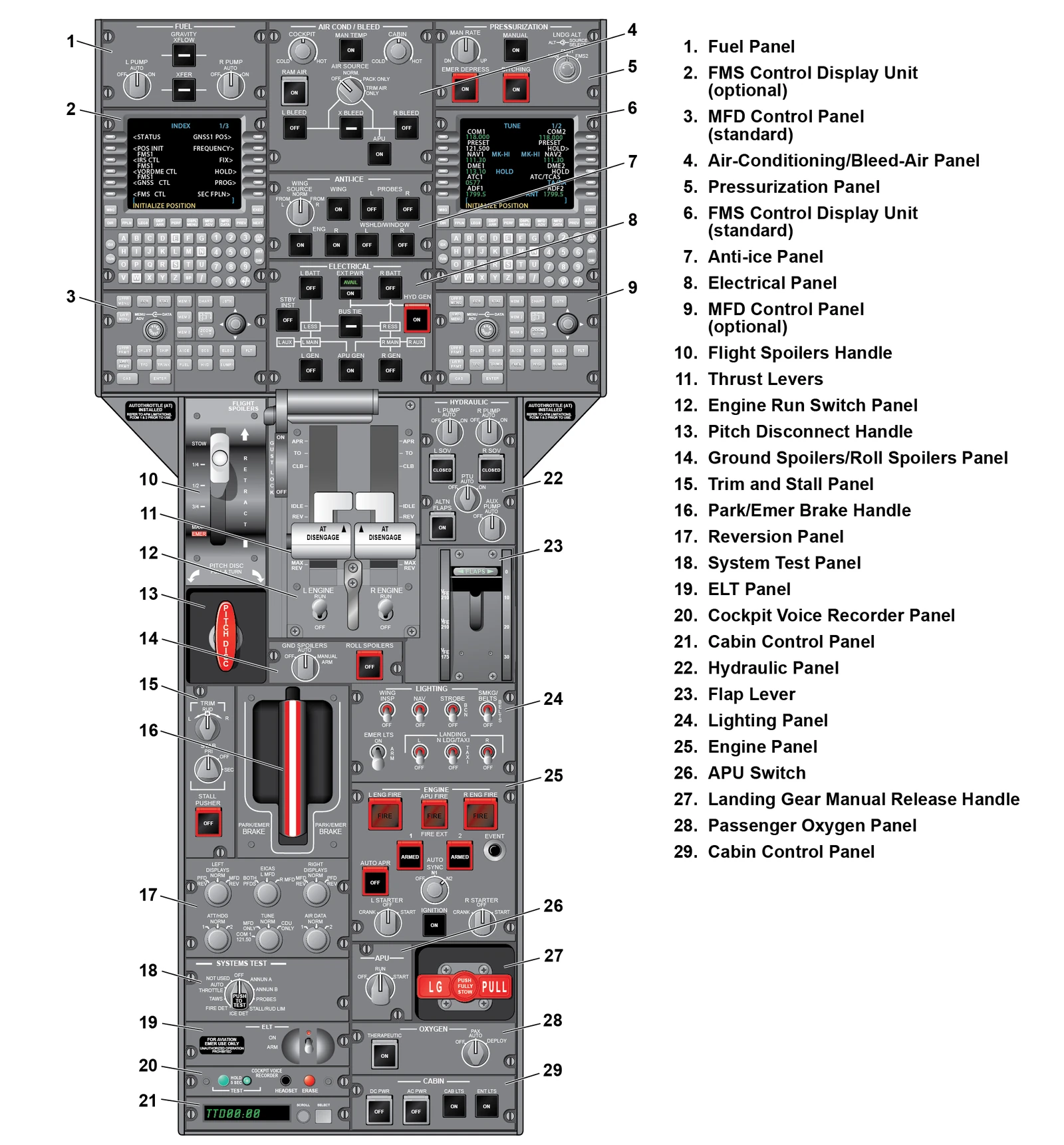
- The radio communication system groups the radios and their controls. It shares controls with the intercom, audio, PA, navigation and the FMS.
- Two VHF radios are standard, built so that one failing does not take the other with it. A third VHF is optional.
- Each VHF is wired to the controls, displays and audio on both sides of the flight deck.
- The MFD, through the DCP, is the main way to tune. The CDU can tune too, and becomes the main control when the TUNE knob is at CDU ONLY.
- Frequencies and settings are held in memory, so a power interruption does not change them.
| Audio control panels (ACP) | One on each side of the instrument panel |
|---|---|
| Display control panels (DCP) | On the glareshield |
| VHF frequencies | Lower part of the left and right MFDs |
| Reversion selection panel, TUNE knob | Center pedestal |
| CVR control panel | Center pedestal |
| ELT switch | ELT panel on the center pedestal |
| Speakers | Two, overhead |
| Hand microphones | On each control column |
| Area microphone | Above the liquid compass on the windshield center post |
Talk and listen
Audio panels, microphones and interphone
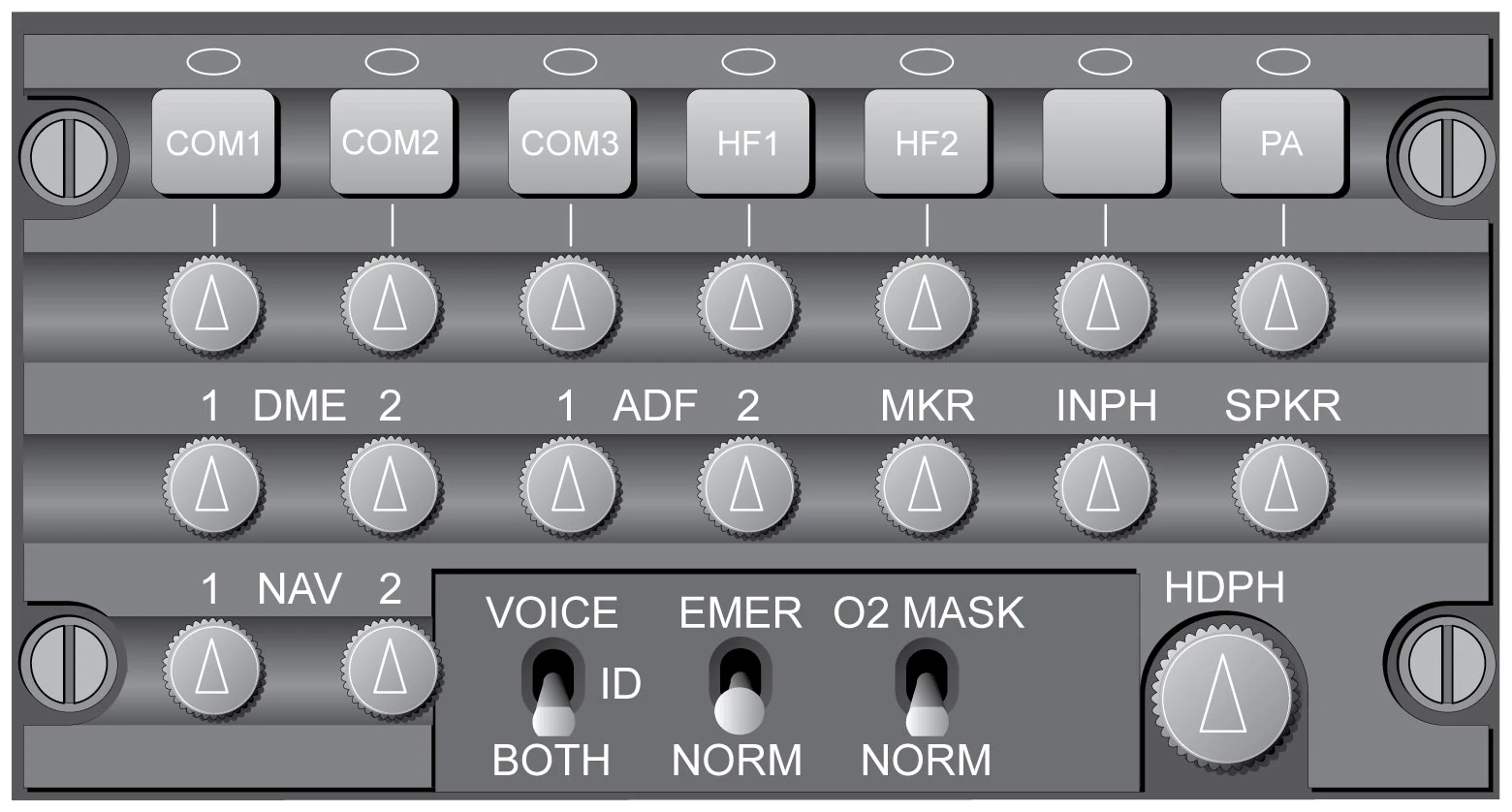
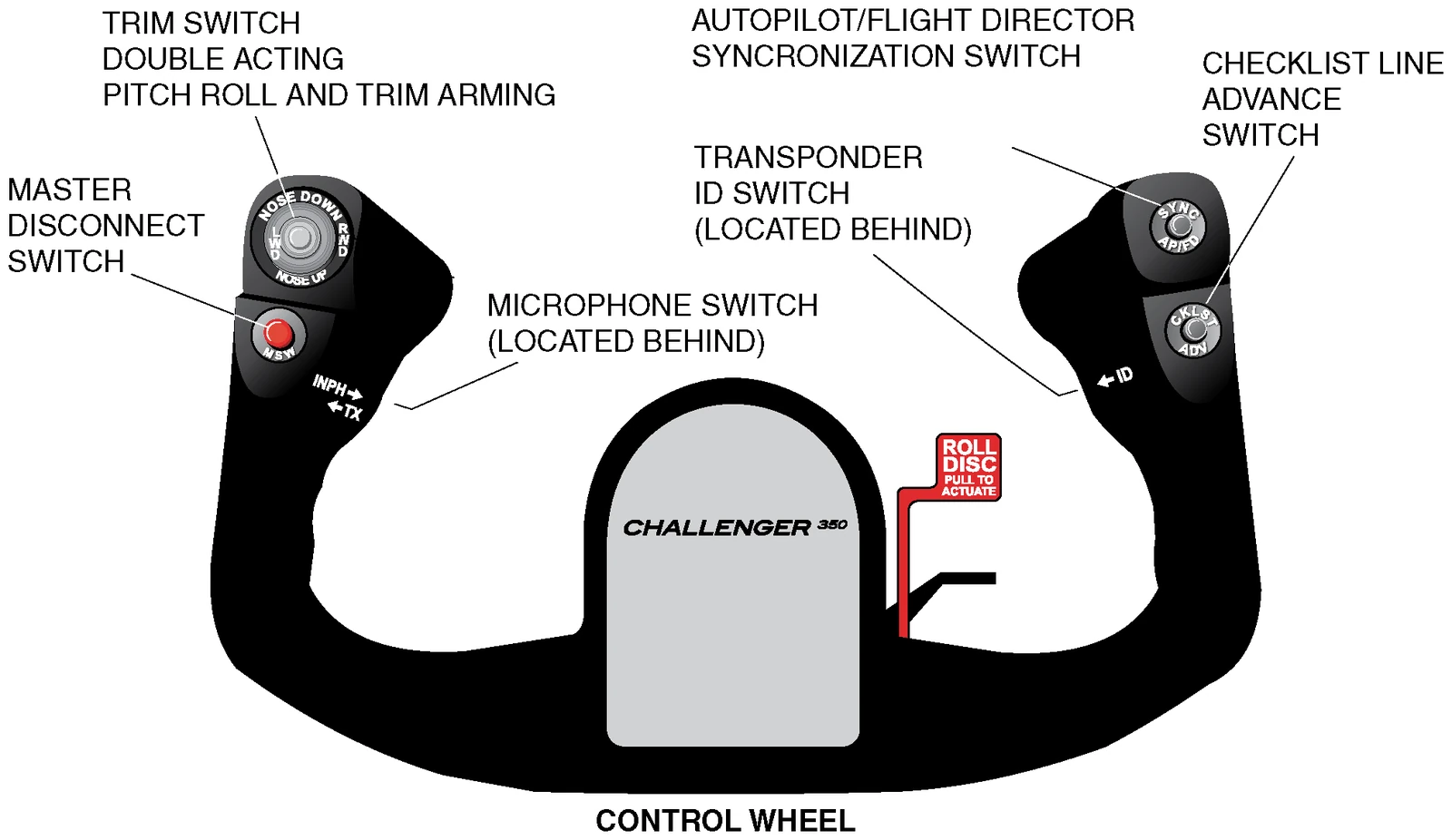
- From the ACP each pilot listens to the navigation radios, and listens and transmits on VHF, HF (optional), PA and intercom. Its audio goes to that pilot's headset jacks and speaker.
- Aural warnings, TAWS and TCAS do not pass through the volume controls. The crew cannot turn them down, and warnings are heard with the switches in any position.
- Each control wheel has a momentary TX/INPH switch. TX transmits on the selected radio. INPH talks on the intercom when interphone is selected off on the ACP.
- Hand microphones sit on the control columns. Each seat has a headset panel with HDPH and MIC jacks.
- Two maintenance interphone panels give hot mic contact with the ground crew when it is selected on the ACP. One is on the left of the nose compartment behind the communication access door, the other on the left of the aft equipment compartment.
- The observer (jump seat) panel is on the PMAT, on the aft side of the left avionics rack, with its own volume control.
| SPKR | Sends the selected audio to your speaker. Turn for volume, push in for speaker off. |
|---|---|
| INPH | Intercom between the crew seats and the service interphone points outside the aircraft |
| VOICE / ID / BOTH | VOICE filters out the station morse identifier, ID gives only the identifier, BOTH gives the two |
| EMER / NORM | Locking toggle. EMER sends the audio straight to the headphones, bypassing the RIU. |
| O2 MASK / NORM | NORM uses the headset boom microphone, O2 MASK the oxygen mask microphone |
| Headphone audio | Always available |
Tuning
Tuning the radios and tuning reversion
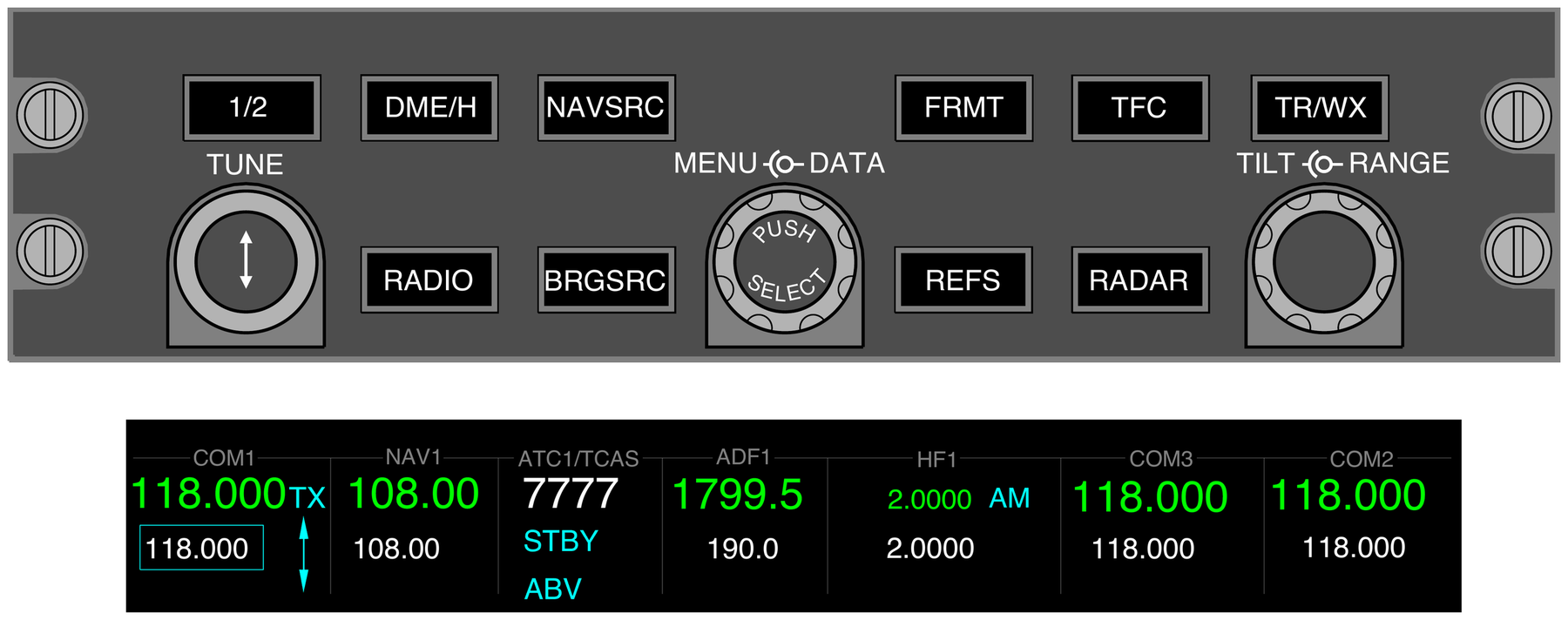
- On the DCP: RADIO brings up the radio menu on the MFD, MENU moves the box to the radio, TUNE sets the frequency (outer knob coarse, inner knob fine), and the button in the centre of TUNE makes it active.
- 1/2 swaps to the cross-side radios, and their legends turn yellow.
- With a radio boxed, RADIO opens its submenu: squelch on or off, FREQ SEL for 8.33 or 25 kHz spacing, and TEST.
- The menu clears 20 seconds after the last use of MENU, DATA or PUSH SELECT.
- On the CDU, the TUN key opens the TUNE page. Type a frequency or a preset channel (1 to 20) in the scratch pad and push the line select key of the radio.
- If an MFD fails or is reverted to a compressed PFD, you can no longer tune through it.
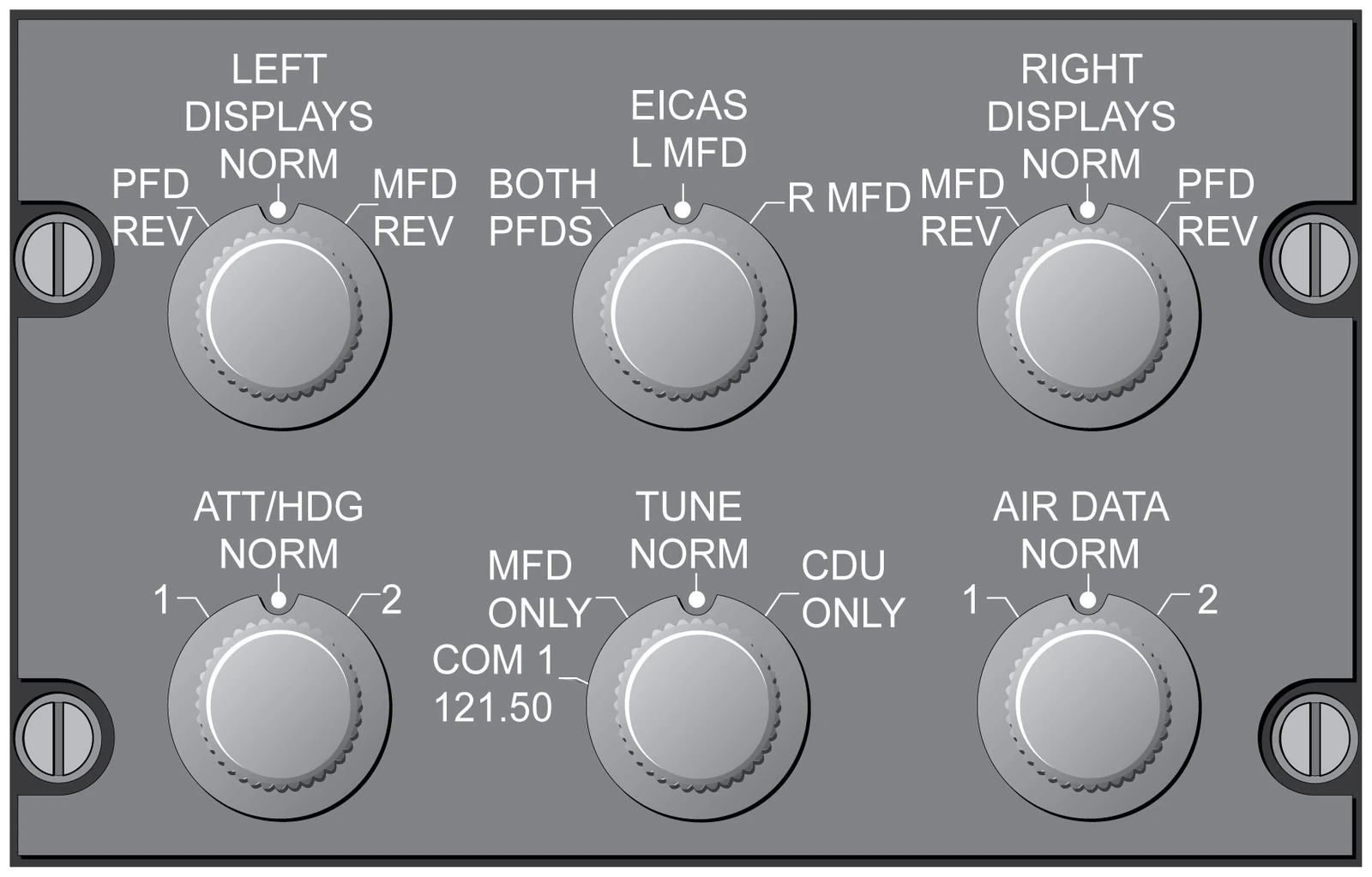
- On essential power only, the procedure sets TUNE REVERSION to CDU ONLY, and COM 2 is in the list of equipment lost. COM 1, CDU 1 and the left DCP are on the left essential bus.
| NORM | Tune with the DCP or the CDU. The MFD is the master. |
|---|---|
| MFD ONLY | DCP only. The CDU TUNE page is blank. |
| CDU ONLY | CDU only. The MFD radio menu is blank. |
| COM 1 121.50 | Tuning as normal, but COM 1 is forced to 121.50 |
| VHF band | 118.000 to 136.991 MHz |
| 25 kHz spacing, top of the band | 136.975 MHz |
| Before starting engines | L and R audio panels set, REVERSION panel at NORM |
Recorders and beacons
CVR, ELT and static wicks

- The CVR is solid state. The recorder, painted bright orange, sits in a crash survivable case in the aft equipment bay. Its control panel is on the pedestal.
- It starts recording as soon as the aircraft has electrical power. An impact deceleration cuts its power so the recording is not erased.
- Four channels: observer 1, copilot 2, pilot 3 and the area microphone 4.
- TEST runs an internal check: the green light means a good test. ERASE works only on the ground, with hydraulics pressurized and the parking brake set.
- The ELT is a self-contained battery unit at the top left of the aft fuselage. Excessive longitudinal forces set it off by itself.
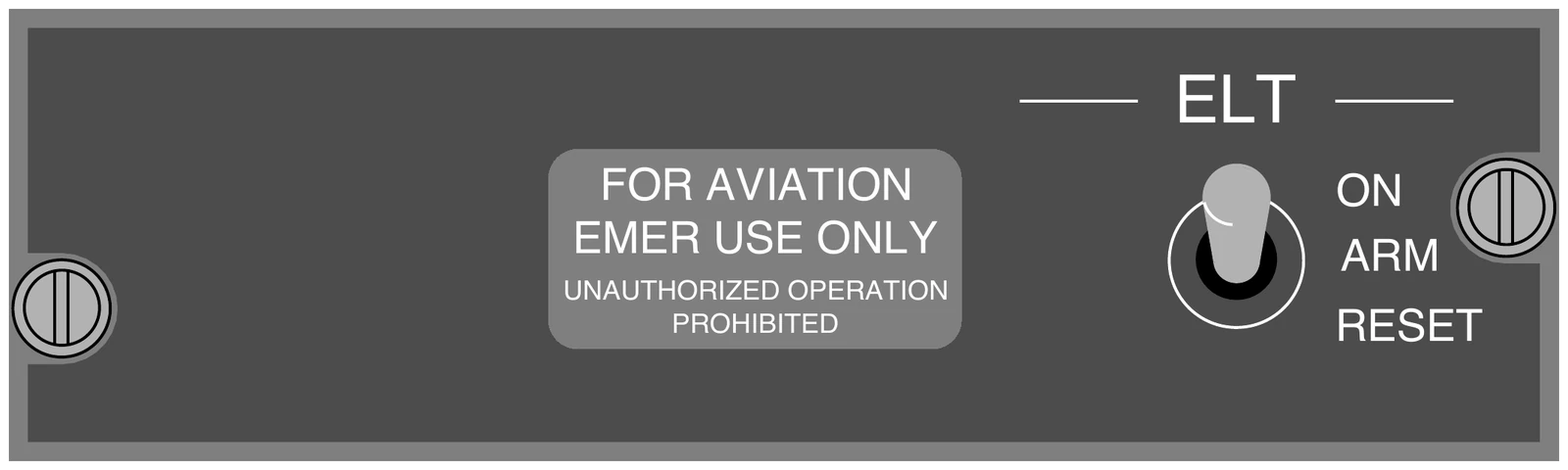
- The ELT switch stays at ARM (set before starting engines). ON is for a test or to start the ELT by hand, RESET resets it. While it transmits, ELT ON shows on EICAS.
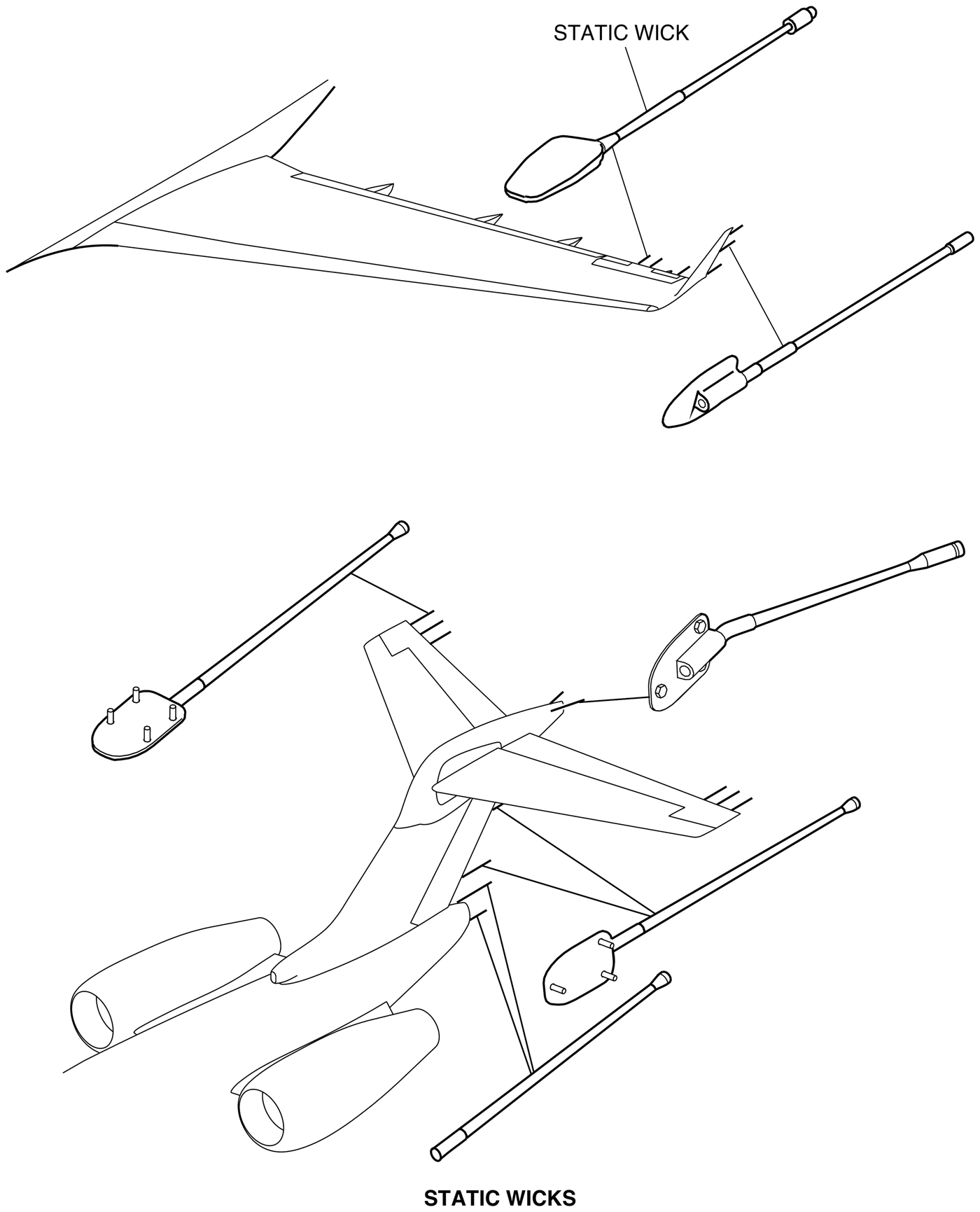
- Static wicks discharge static electricity, which cuts radio interference. Check them at the walkaround on both winglets and on the tail.
| CVR recording kept | 120 minutes |
|---|---|
| CVR audio channels | 4 |
| Underwater locator battery life | 6 years |
| Underwater locator signal | Up to 30 days |
| ELT, VHF | 121.5 MHz |
| ELT, UHF | 243.0 MHz |
| ELT, third frequency | 406.025 MHz |
| Static wicks, total | 26 |
| On each winglet | 4 |
| On each wing trailing edge | 3 |
| On each horizontal stabilizer trailing edge | 3 |
| On the rudder trailing edge | 2 |
| On the tailcone | 2 |
| On the rear navigation light (bullet) fairing | 2 |
Messages and failures
EICAS messages and procedures
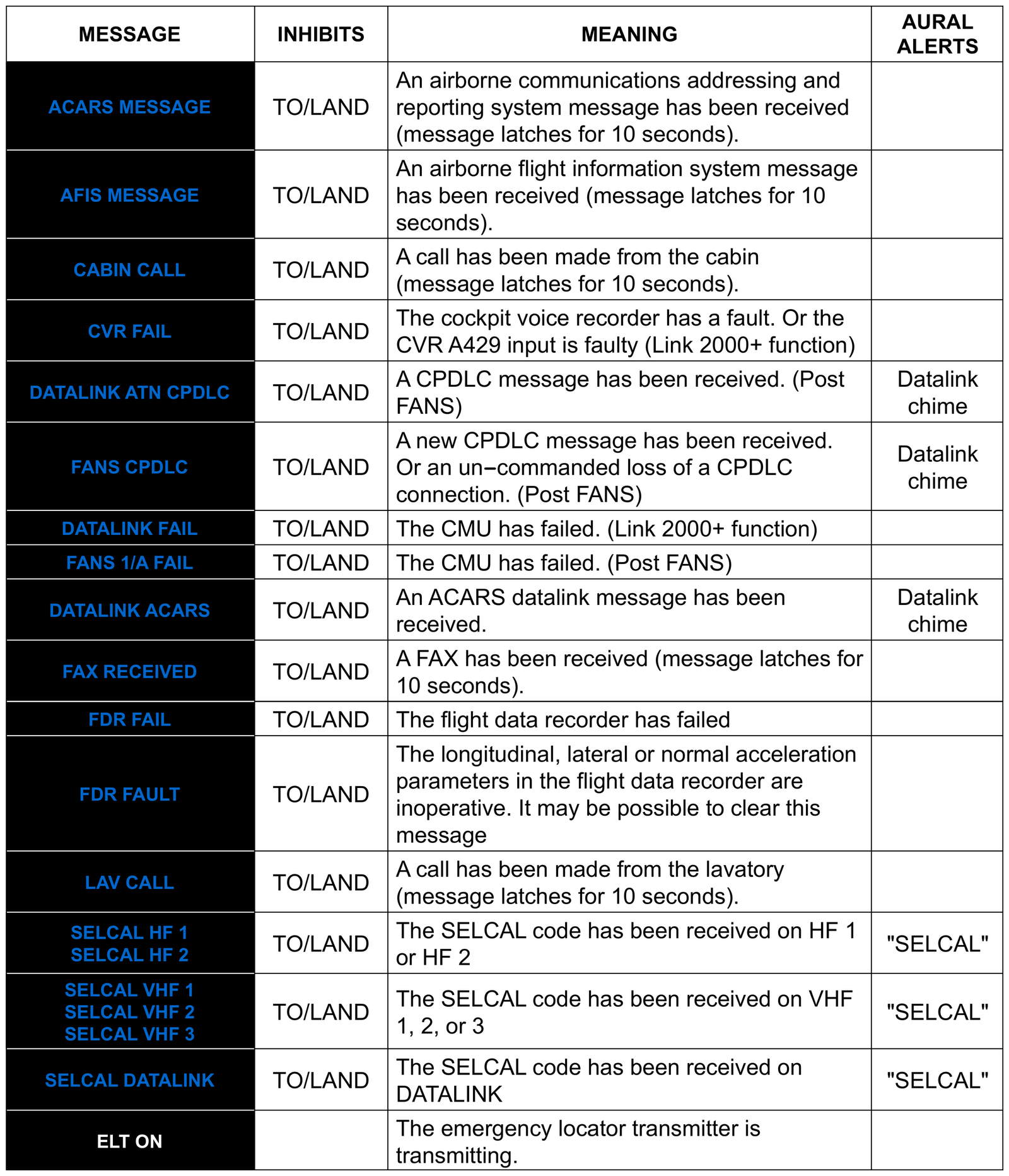
- All communication messages are cyan advisories except ELT ON, a white status message.
- They are inhibited for takeoff and landing (TO/LAND). ELT ON is not.
- CVR FAIL: the voice recorder has a fault. Its procedure has no crew action.
- CABIN CALL and LAV CALL: a call from the cabin or the lavatory. Each stays on for 10 seconds.
- ELT ON has no procedure of its own. It is listed with the avionics status messages.
- Audio System Failure is for a failed ACP: its aim is to bypass the panel. Radio Tuning Failure aims to find the failed tuning source.
- If the MFDs stop talking to each other (MFD X-TALK FAIL), cross-side tuning is lost.
Optional equipment
HF, SELCAL, SATCOM and data link
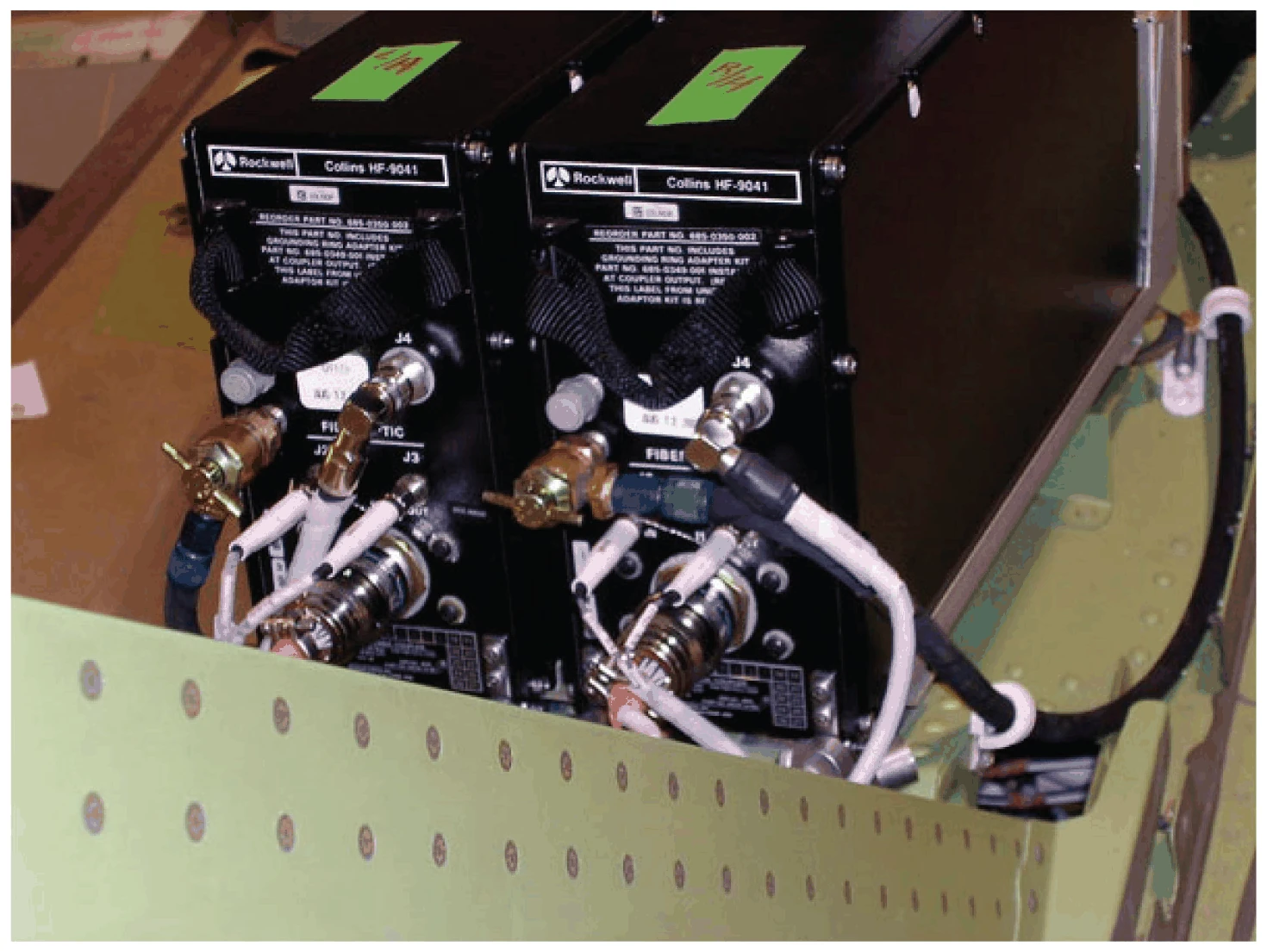
- Everything in this panel is optional and fitted only on some aircraft.
- HF gives long range communication. Its antenna is part of the fin leading edge. The coupler tunes when you key the transmitter, with a tone in the headset until it is done.
- HF is tuned from the MFD radio menu or the CDU TUNE page. Its HF CONTROL submenu sets the mode (frequency, emergency channel or maritime channel), simplex or duplex, squelch and power. Simplex, sending and receiving on one frequency, is the usual mode.
- SELCAL keeps watch on an assigned VHF or HF frequency for you. When your four-letter code arrives, a cyan SELCAL message names the radio and "SELCAL" sounds. Transmitting on that radio clears it.
- SATCOM is run from the CDU. Data link works over VHF, HF or SATCOM, is controlled from the CDU and carries CPDLC. Only one CPDLC system (FANS or ATN) can be logged on at a time.
- Weather sent by data link is advisory only.
- An optional recorder power supply keeps the CVR recording 10 minutes after aircraft power is lost. With it, a nuisance CVR FAIL can show for up to 10 minutes after power up.
| HF range | 2.0 to 29.9999 MHz |
|---|---|
| HF programmable presets | 16 |
| HF emergency channels | 6 |
| HF coupler tuning, maximum | 6 seconds |
| HF tuning tone | 1,000 Hz |
| FANS INSERT MOD prohibited | Within 5 NM of sequencing a waypoint |
| Optional FDR, data kept | Last 25 hours |
The full module
The slides go through the audio panels, tuning and reversion, the recorders and the failure procedures, then a 10-question test.
Open the slides